Shortkeys v5 is a complete rewrite — faster, more powerful, and packed with features you've been asking for.
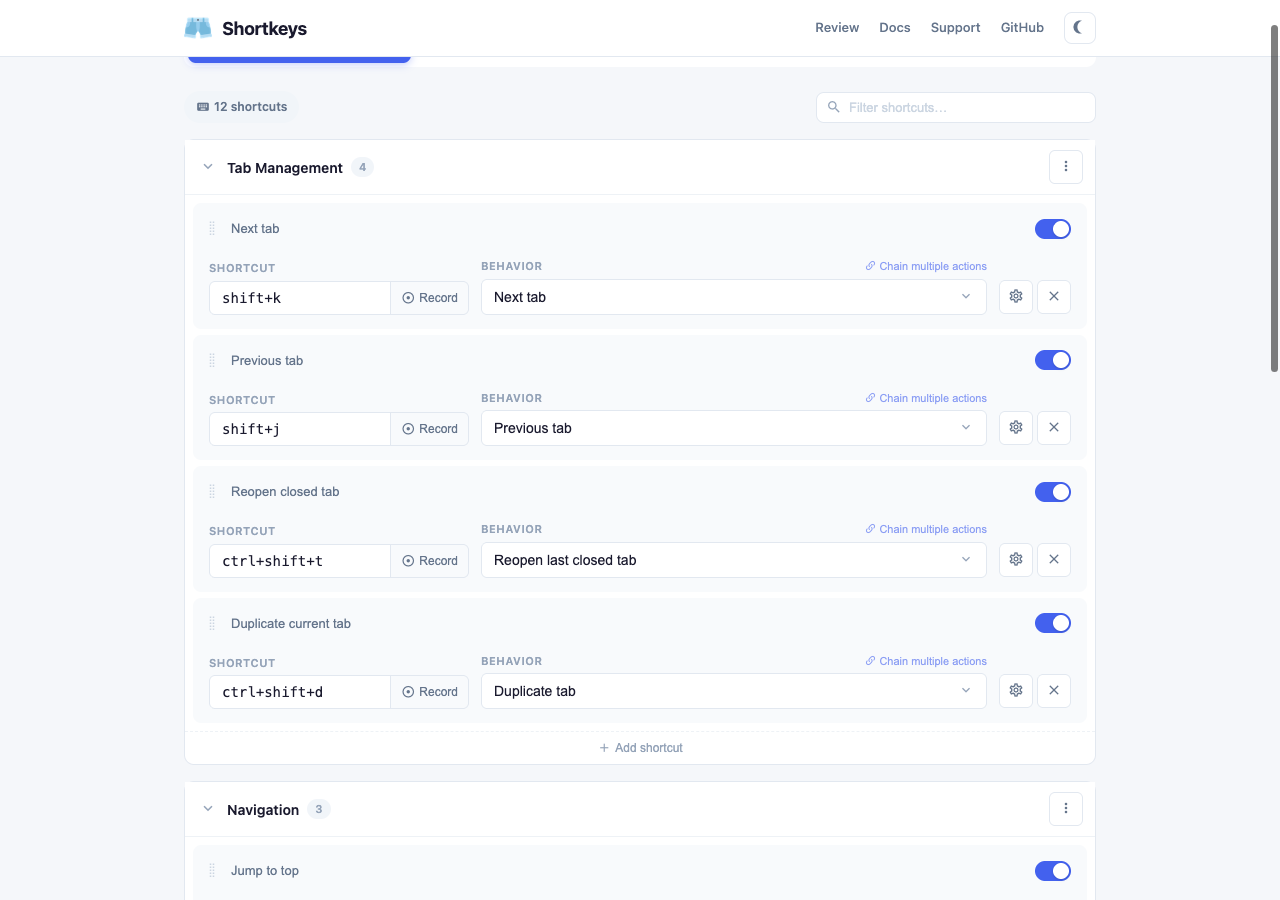
Here's what we've been working on. Every feature was the result of user feedback.
Chain multiple actions into a single shortcut. Open a tab, scroll down, and click — all from one key combo. Add delays between steps for precise automation.
Click the extension icon for an instant searchable list of all your shortcuts. Navigate with arrows, trigger with Enter.
One-click install curated collections — Vim, Emacs, YouTube, Tab Manager, and more. Customize or remove anytime.
Shortcuts automatically sync across all your Chrome instances via your Google account. No extra account needed.
Warns when your shortcuts conflict with browser defaults or duplicates. Platform-aware — knows Mac vs Windows shortcuts.
Organize into collapsible groups. Enable/disable, rename, or delete entire groups at once. Packs import as groups.
Run any JavaScript with a keyboard shortcut. Full syntax-highlighted editor with autocomplete.
Click Record and press your keys. Supports multi-key sequences like Vim's g g. No more guessing key names.
Track how often you use each shortcut. See your most-used actions and discover shortcuts you've forgotten about.
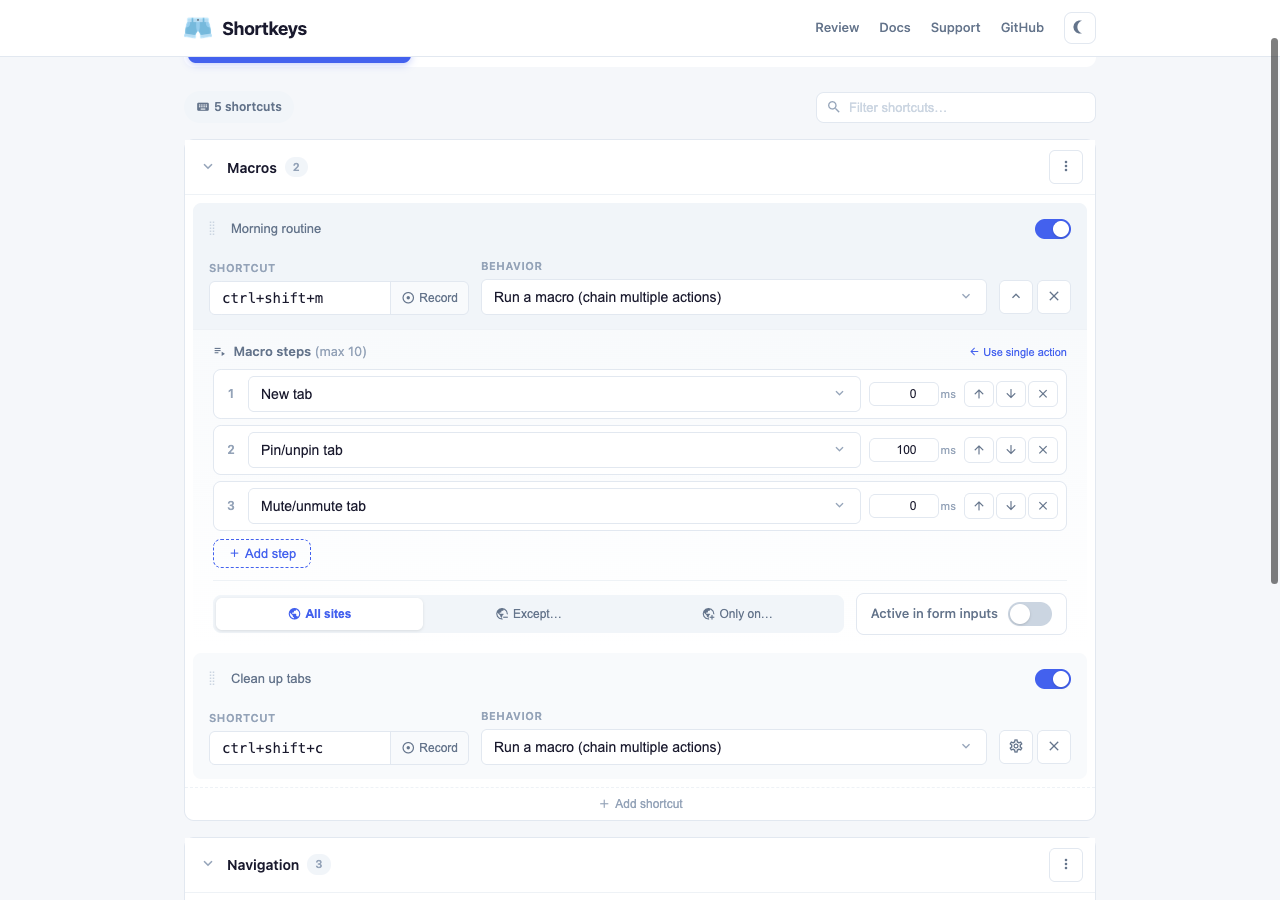
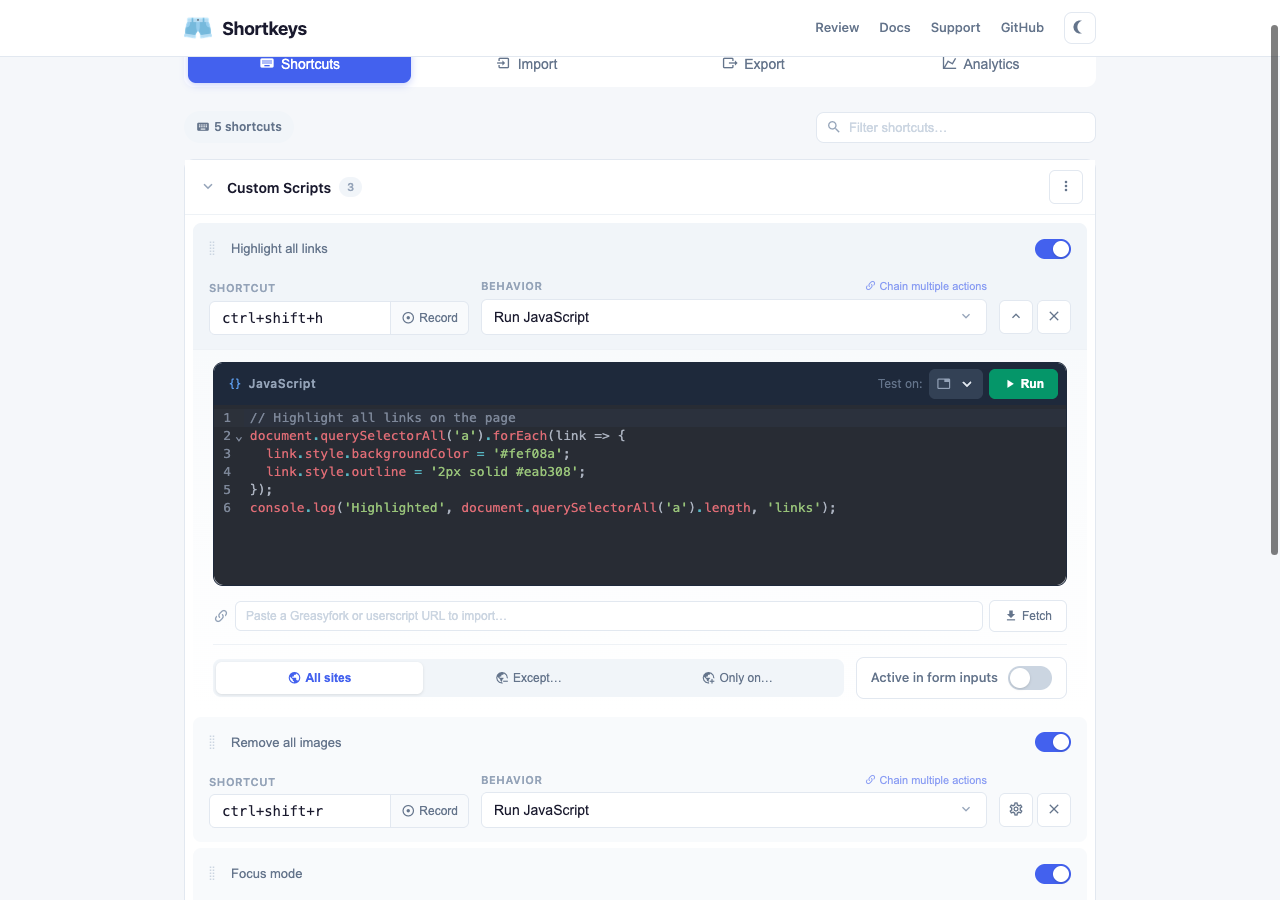
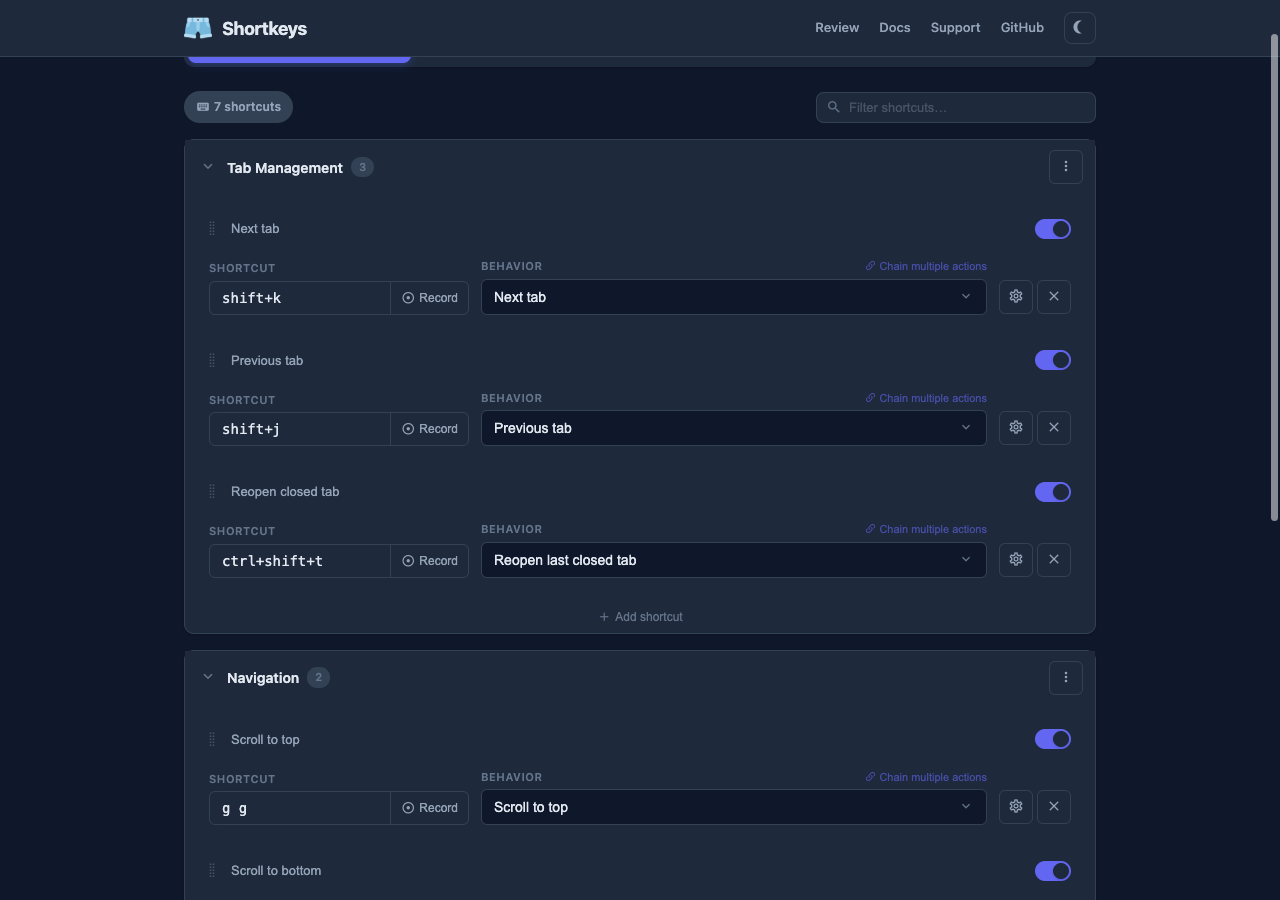
Macros, usage analytics, reader mode, dark mode, QR codes, picture-in-picture, video speed controls, tab sorting, search YouTube/Wikipedia/GitHub, and much more.
Settings page follows system preference, plus a one-key dark mode action for any website.
Generate a shareable URL for any shortcut or group. Anyone with Shortkeys can import it with one click.
Save your shortcuts and they take effect immediately in all open tabs. No more refreshing every page.
Shortkeys now works on Firefox. Same features, same shortcuts, same sync — across browsers.
Play/pause, speed up/down, skip forward/back, mute, fullscreen — control any video on any site.
Strip ads and clutter from any page with one keypress. Just the content, beautifully formatted.
Copy page title, URL, or both as a markdown link. Copy all links on a page. Extract email addresses. Export tables as CSV.
Find any shortcut instantly by typing in the filter bar. Search by label, key, or action name.
Temporarily disable any shortcut or entire group without deleting it. One click to toggle.
Drag shortcuts to reorder within or between groups. Your order is saved.
See your total shortcuts, disabled count, and conflict count at a glance.
Press a key to see all your active shortcuts overlaid on the current page. Press Escape to dismiss.
Type configured text into the focused field with a shortcut. Great for email templates, code snippets, signatures.
Add or remove the current page from your bookmarks with a single keypress.
Close duplicates, sort alphabetically, suspend inactive tabs, group/ungroup, jump to audible tab, new tab to the right.
Open the current page in a private window with one key. Quick, no clicking through menus.
Generate a QR code for the current page URL, displayed as a floating overlay you can scan from your phone.
Paste a Greasyfork or OpenUserJS URL and bind any userscript to a keyboard shortcut. No other extensions needed.
Show layout grid, clear site storage, performance metrics, pretty-print JSON, log all events — built right in.
Restrict shortcut groups to specific websites. Your GitHub shortcuts only fire on GitHub, YouTube shortcuts only on YouTube.
Add a new shortcut right from the command palette popup. Pick an action and record your keys without opening settings.
New users see a friendly welcome with quick-start options — create a shortcut, browse packs, or import existing shortcuts.
Subtle confirmations when copying, sorting, or toggling — so you always know your shortcut worked.
Every action you can assign to a keyboard shortcut, organized by category.
All your existing shortcuts were automatically migrated. Everything works just like before — plus everything above.
Most of our Chrome Web Store reviews come from people reporting problems. If Shortkeys has been useful to you, a quick positive review would really help balance things out and help other people discover the extension.
Leave a reviewOpen settings to browse packs, try the new features, and customize your shortcuts.
Open Shortkeys SettingsOr right-click the Shortkeys icon → Options
 Shortkeys